
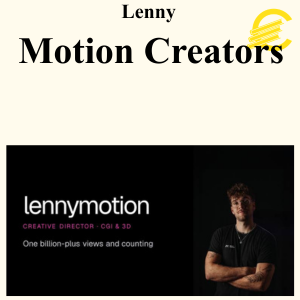
Lenny – Motion Creators

Original price was: 149 $.30 $Current price is: 30 $.
Contact us via email isco.coursebetter@gmail.com to pay for Lenny – Motion Creators with PayPal/Credit Card/Crypto.
Proof Download
Here’s What You Get:
Lenny – Motion Creators is a practical motion design and video-editing education platform created by Lenny Bartholomäus, designed to take creators from beginner-level editing skills to producing professional, viral short-form content and eventually selling their creative services to brands and clients. The program combines structured courses, real project breakdowns, downloadable project files, software training, live feedback, expert sessions, and a private creator community.
Program Overview
Motion Creators is built around a learn-by-rebuilding approach. Instead of only explaining editing theory, Lenny breaks down actual projects and shows how the final effects, transitions, compositing, motion graphics, and visual storytelling were created. Students can then open the corresponding project files and recreate the edits themselves.
The program covers both the creative and business sides of becoming a professional motion creator, including editing, motion design, VFX, color grading, compositing, content creation, positioning, client acquisition, pricing, and brand deals.
Core Curriculum
1. Creator Kickstart & Foundations
- Introduction to the Motion Creators workflow
- Understanding how viral edits are constructed
- Short-form video fundamentals
- Creative thinking and visual storytelling
- Setting up the required software and workflow
- Beginner-friendly progression from the first edit toward advanced projects
2. Editing Toolkit
The program provides training across several major creative applications:
- Adobe After Effects
- Blender
- DaVinci Resolve
- Photoshop
- Compositing and VFX workflows
The current program advertises 100+ hours of tutorials, progressing from beginner material to more advanced editing and motion-design techniques.
3. Viral Edit Breakdowns
One of the central components is the breakdown of Lenny’s own viral projects.
Examples include:
- G-Wagon Transformation
- McLaren Shrink Reel
- Lens Flip
- Lambo
- Map Zoom
- Other short-form VFX and motion projects
The breakdowns are accompanied by downloadable project files, allowing students to inspect how the actual edits were constructed rather than simply watching a finished video.
4. Motion Graphics & VFX
Students learn practical techniques for creating visually sophisticated short-form content, including:
- Motion graphics
- 3D elements
- Visual effects
- Compositing
- Transitions
- Camera movement
- Object transformations
- Color grading
- Visual storytelling
- Short-form video effects
The emphasis is on recreating techniques used in real-world projects rather than learning isolated software functions.
5. Sell Your Skills
Motion Creators also includes a business-focused section designed for editors who want to turn their creative skills into income.
Topics include:
- Positioning yourself as a creative professional
- Building a portfolio
- Finding clients
- Outreach
- Pricing creative services
- Selling your editing skills
- Working with brands
- Negotiating projects
- Closing clients and brand deals
The official course description specifically identifies this as a progression from making your first edit toward landing paid clients and closing brand deals.
Live Coaching & Feedback
Motion Creators isn’t only a collection of prerecorded tutorials.
Members can:
- Submit their edits for feedback
- Receive feedback from Lenny
- Participate in live calls
- Ask questions about editing and creative workflows
- Watch recordings of previous sessions
- Learn from other creators’ projects
The current sales page lists 34+ recorded expert sessions covering areas such as motion graphics, color grading, marketing, and negotiation.
Community
The program includes a private community where creators can:
- Share their work
- Receive feedback
- Ask technical questions
- Find collaborators
- Network with other editors
- Discover job opportunities
- Learn from other creators
The current Motion Creators community lists 400+ creators, while the sales page describes a community of 460+ creators.
Templates & Resources
Depending on the current program version, members have access to:
- Project files
- Editing templates
- Motion-design resources
- Add-ons and plugins
- Tutorials
- Creative workflows
- Expert-session recordings
- Practical editing resources
The key differentiator is that many lessons are connected to real project files, making it possible to follow the construction of an edit inside the actual software.
Creator Background
Lenny Bartholomäus is a motion artist and creator behind Motion Creators. His current site states that he has 10+ years of experience in motion design, more than 150M views on his edits, and has produced content for major brands including Mercedes-Benz, Porsche, Red Bull, Coca-Cola, Samsung, LEGO, and Emirates.
Learning Path
The current curriculum is organized approximately as:
Step 0 – Onboarding & Creator Kickstart
↓
Step 1 – Editing & Motion Foundations
↓
Step 2 – Editing Toolkit: After Effects, Blender, DaVinci Resolve & Photoshop
↓
Step 3 – Sell Your Skills & Land Clients
This gives the program a progression from learning the tools → recreating professional edits → developing your own creative skills → monetizing those skills.
Short Description
Lenny Bartholomäus – Motion Creators is a comprehensive motion-design and video-editing program focused on helping creators produce professional and viral short-form content. The curriculum covers After Effects, Blender, DaVinci Resolve, Photoshop, VFX, compositing, motion graphics, color grading, and visual storytelling, while detailed breakdowns of Lenny’s real viral projects provide downloadable project files for hands-on practice. Beyond editing, the program teaches positioning, client acquisition, pricing, outreach, and brand deals, supported by live coaching, creator feedback, expert sessions, templates, and a private community.
See More: Brendan Li – AI Pathways
Lenny – Motion Creators
Name of course: Lenny – Motion Creators
Delivery Method: Instant Download (Mega)
Contact for more details: isco.coursebetter@gmail.com
Be the first to review “Lenny – Motion Creators”
You must be logged in to post a review.
Related products


Business

Business


Business

Reviews
There are no reviews yet.